
For parents. For kids.

Less screen dependence. Better habits that stick.

Print an A4 weekly sheet, tick or fill a box after each task, then scan to record points automatically. Kids do not need the phone day to day.

  • No ads
  • No data collection
  • No account needed
  • Recognition runs on device
Off-screen Tick or fill Quick scan

From a blank page to a week full of ticks

Print on Monday, scan on Sunday. In between, there is one less screen in the house.

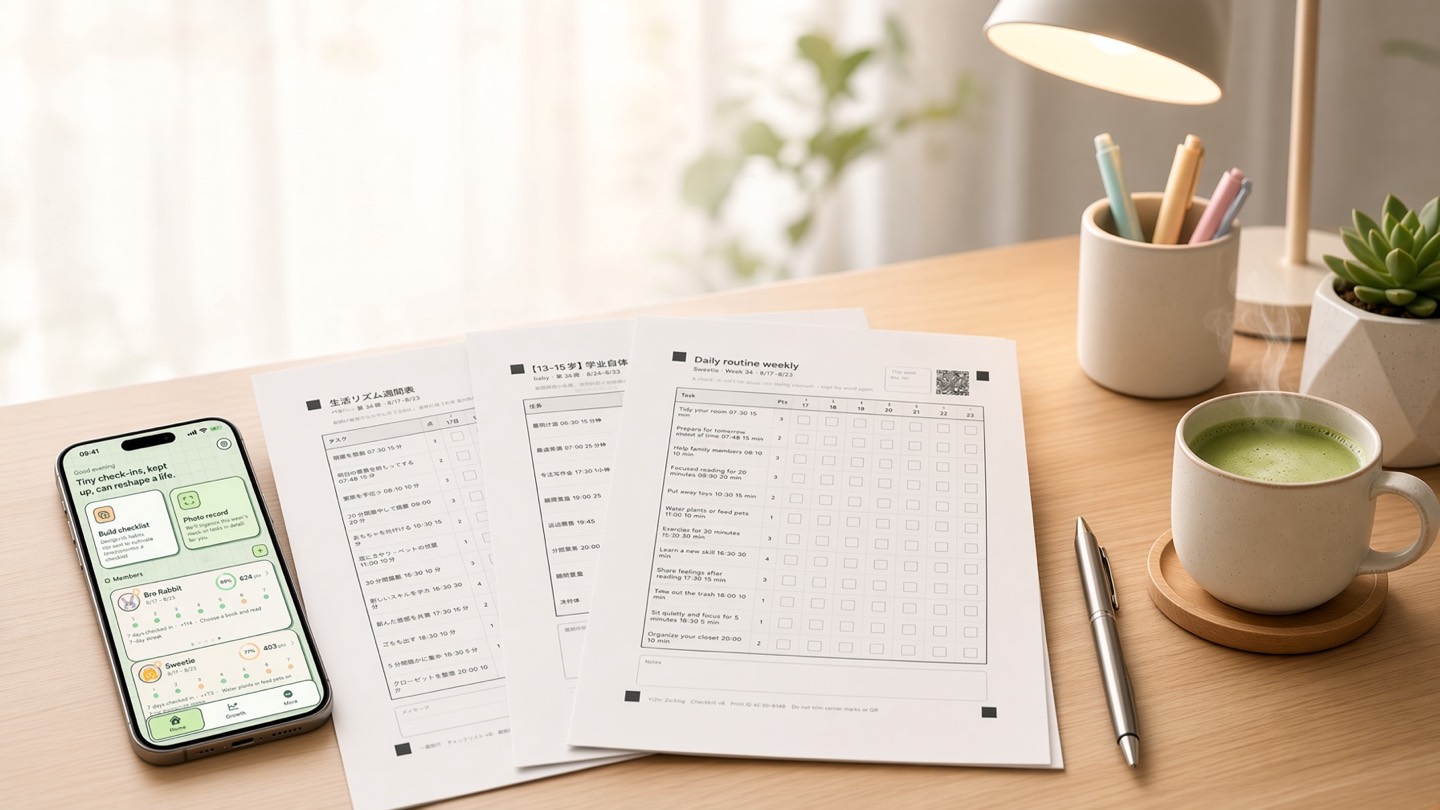
Three freshly printed A4 weekly sheets spread across a sunlit desk, next to an iPhone showing the app home screen, a pen and a cup of matcha.
Monday morning

Print it once, then leave it on the table

Pick the member, the tasks and the point values in the app, then print one A4 page. It never needs charging and never buzzes — it simply waits on the table for someone to tick the first box.
  • One A4 page
  • Never needs charging
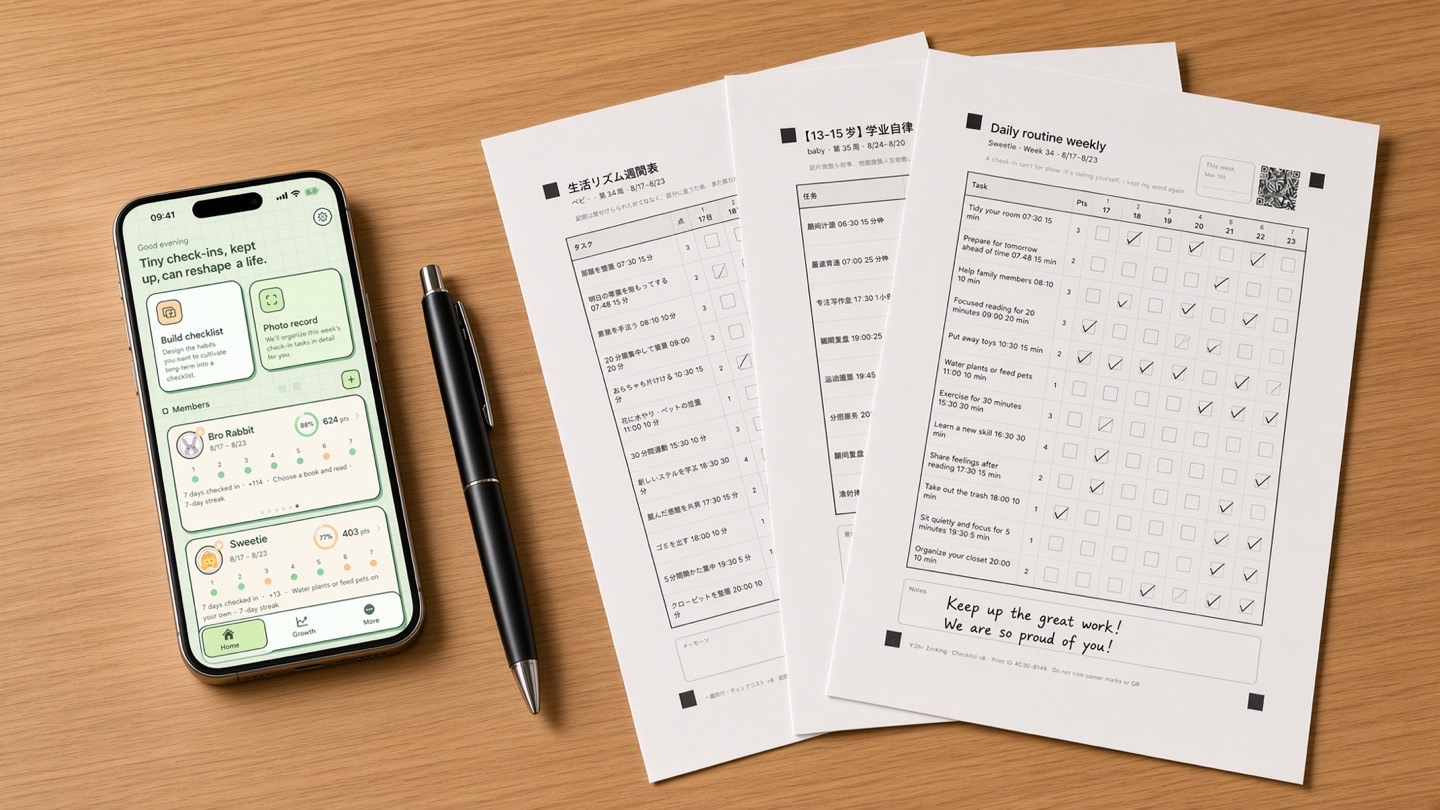
Overhead view of a wooden table with three completed weekly sheets full of ticks, the top one carrying a handwritten note of encouragement, beside an iPhone showing the app home screen and a pen.
Sunday evening

A week later, every tick is still on the page

The ticks, the filled boxes and the “we are so proud of you” a parent wrote by hand all live on the same page. One scan turns them into points and a growth curve; the sheet stays on the fridge door.

  • Scan to score
  • A note by hand

Habits on paper. The phone just keeps score.

Start in four steps, then print one sheet each week.

  1. 1

    Create your sheet

    Choose a member, tasks and point values to generate a weekly A4 sheet with up to 24 tasks.

  2. 2

    Print on A4

    Print with AirPrint or export a PDF, then place the sheet where it is easy to see.

  3. 3

    Tick or fill

    After completing a task, tick or fill the corresponding box.

  4. 4

    Scan to score

    Scan the whole sheet, review the result and confirm to record the points.

A4One A4 sheet a week
24Tasks per sheet, at most
8Interface languages
0Bytes uploaded to us

Less screen time. Habits that still stick.

Off-screen check-ins

The check-in happens on paper and in real life. No child needs to unlock a phone to tick boxes every day.

Points and rewards

Every box carries a point value. Scanning writes it to the ledger, ready to trade for rewards your family agreed on in advance.

A sheet per person

AGou and ATu are only the default profiles — rename them to the people in your home. Everyone gets their own tasks, points and sheets.

Change you can see

The growth screen brings a weekly brief, trend charts, a calendar view and eight milestone achievements — so you can see which weeks really held.

Rescan without double counting

Every printout carries a unique ID. Scan midweek, scan the same sheet again on Sunday — the app lists the newly filled boxes and posts only the difference.

Phone, only when needed

The phone shows up for exactly two jobs: printing a fresh sheet and the occasional scan. The rest of the week it can stay in a drawer.

See what it does

We don’t promise “21 days to a habit”

The often-cited 66 days is an average from one study, not a standard for habit formation. The app records activity without claiming that a habit has formed.

How we think about habits

Lally 2010 · Gollwitzer & Sheeran 2006 · Harkin 2016 · Silverman & Barasch 2023

We do not collect your data.

No account, developer backend, third-party analytics or ad SDKs. Photos are processed on-device and data stays local by default; Pro users may enable private iCloud sync.

Read our privacy stance

No accounts, no server of ours, no advertising or analytics SDKs.

The whole loop is free

The free plan includes creating, printing, ticking or filling, scanning and scoring. Pro adds capacity for more members, sheets and scans.

Free forever

Free

Works from the moment you install it. No account, no expiry.

See plans

Before you start

The scan isn’t reading well.

Lay the sheet flat, keep the light even, get all four corners in frame and step back a little. The usual culprits are a creased sheet, the phone’s own shadow falling across it, or a scaled printout. There is a review screen afterwards — if a box was read wrong, just fix it there.

What print settings should I use?

A4, portrait, scale 100%. Do turn off “fit to page” or “shrink to fit” — any rescaling moves the corner markers and the scan will misread. Double-sided printing is fine; just photograph the side with the grid.

New phone — how do I restore my subscription?

Sign the device in with the Apple Account you bought with, open the plans screen and tap Restore Purchases. With Family Sharing turned on, the household can share the same subscription. The subscription itself is managed in Settings → Apple Account → Subscriptions.

Contact support

Stick a sheet on the wall tonight. Start off-screen tomorrow.

Habits happen on paper; the phone helps only now and then. Free on iPhone and iPad, no account required.

iPhone and iPad · Free to start